Chrome, Edge and Brave
One click from the official store. Edge and Brave can install from the Chrome Web Store too.
Add to ChromeCampuslit is a free Chrome extension that redesigns the student CMS and LMS you already use. Same logins, same data, with a cleaner look, due-date countdowns, an attendance planner and a time table you can read.
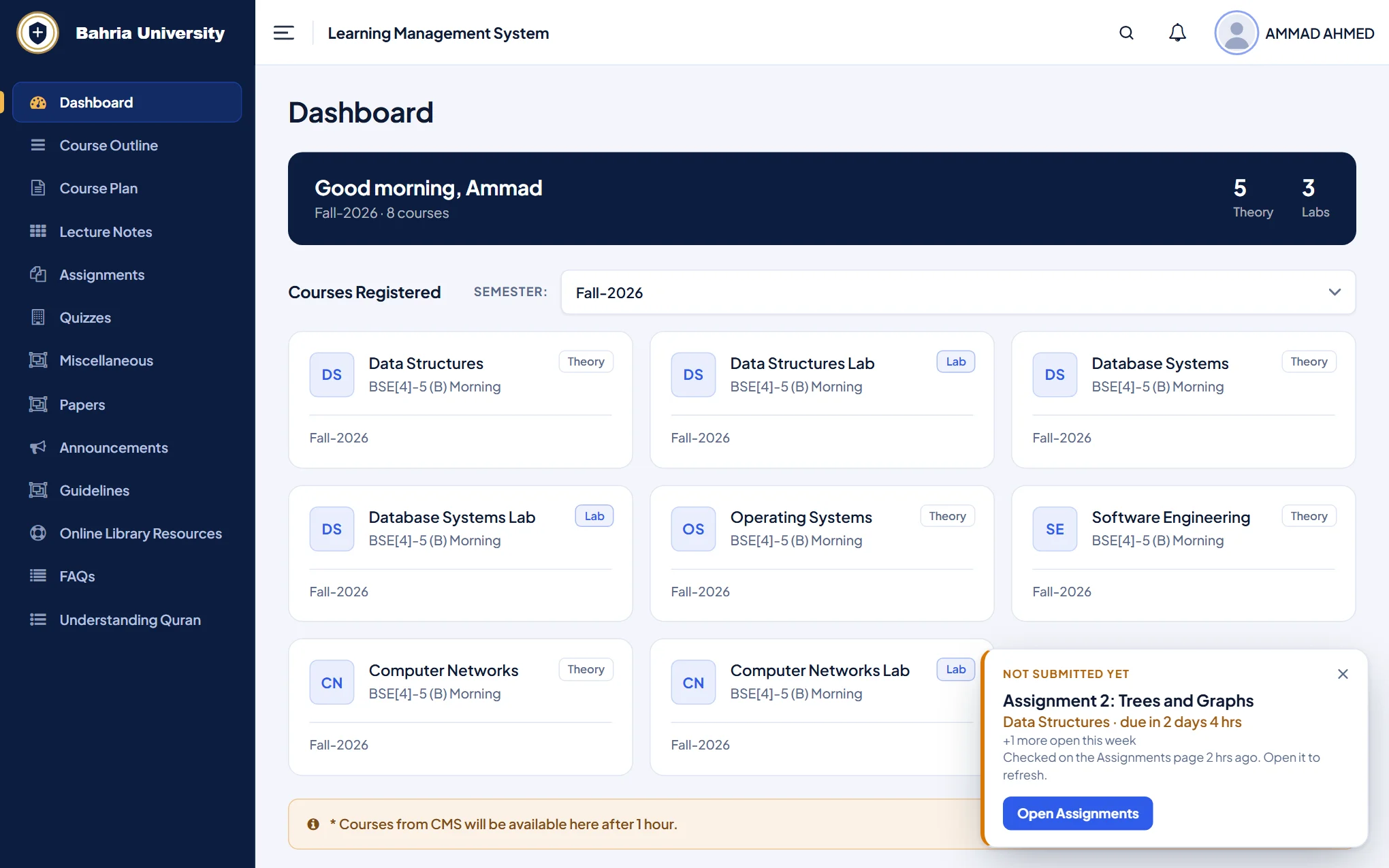
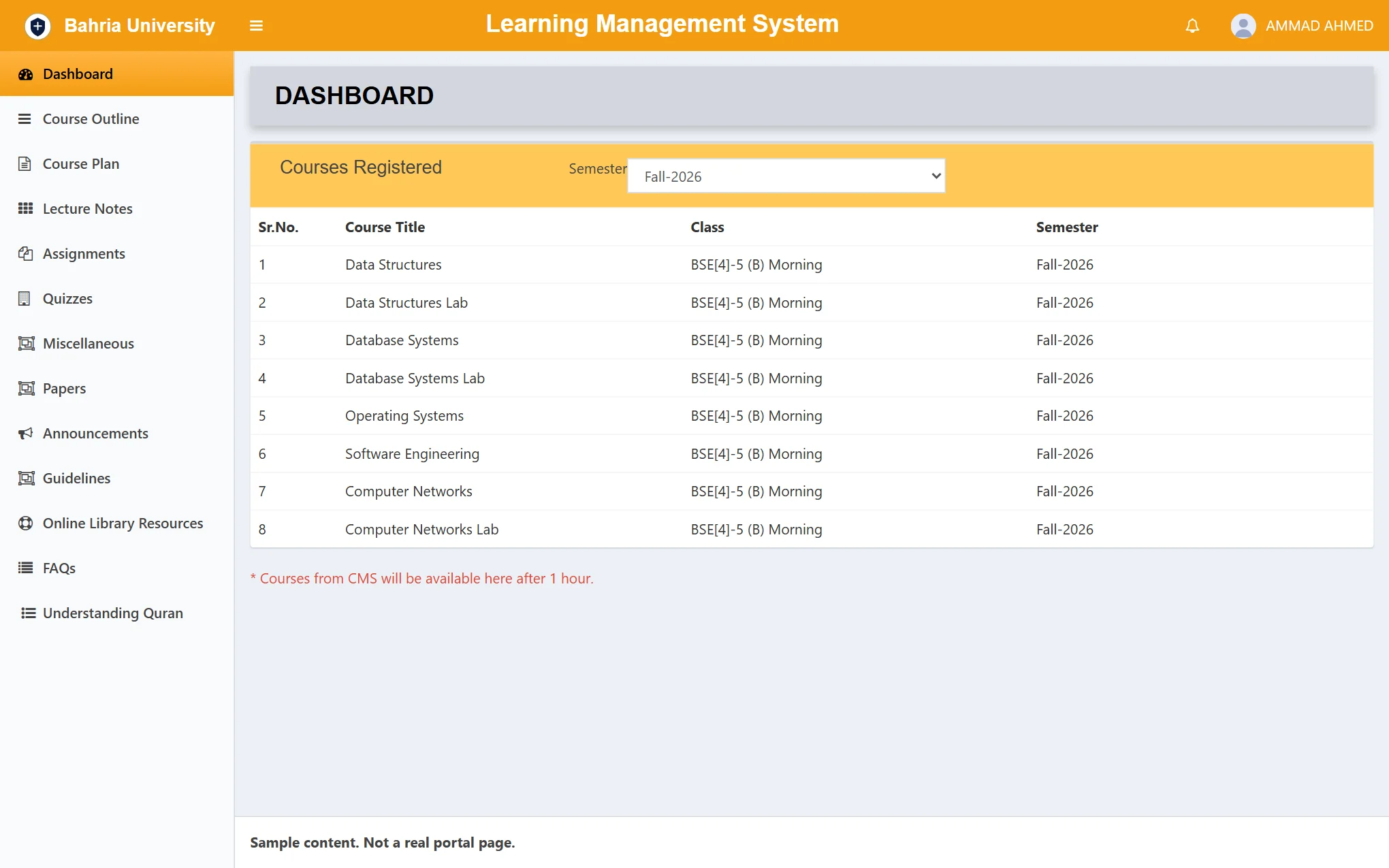 Before: the portal today
After: with Campuslit
Works on cms.bahria.edu.pk and lms.bahria.edu.pk, the portals every campus uses.
Changes how pages look and adds helpers. Your data, marks and buttons stay the university’s.
Unofficial. Made by students. Not made, endorsed or supported by Bahria University.
At a glance
Campuslit (sometimes written Campus Lit or CampusLit) is a free, open-source browser extension that redesigns the Bahria University student LMS and CMS. It is the quickest way to get a cleaner Bahria portal: install it once and your existing logins and data look new.
Read more: Bahria University LMS redesign · Bahria University CMS: attendance planner and time table · Version history · Privacy policy
What it does
Every picture is the real extension, drawn with invented student data.
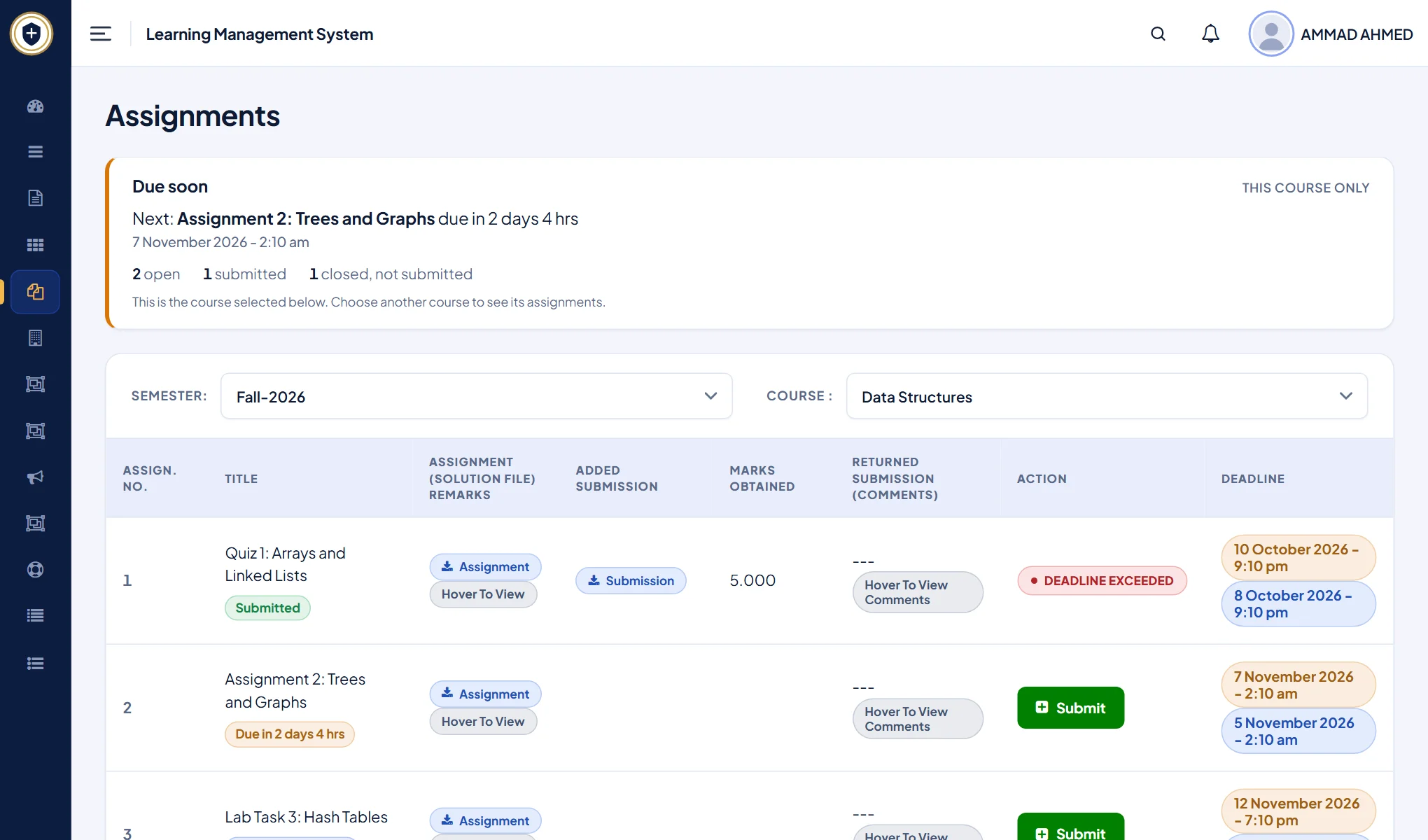
A Due soon card counts down to your next deadline, and each assignment says if it is open, submitted or closed.
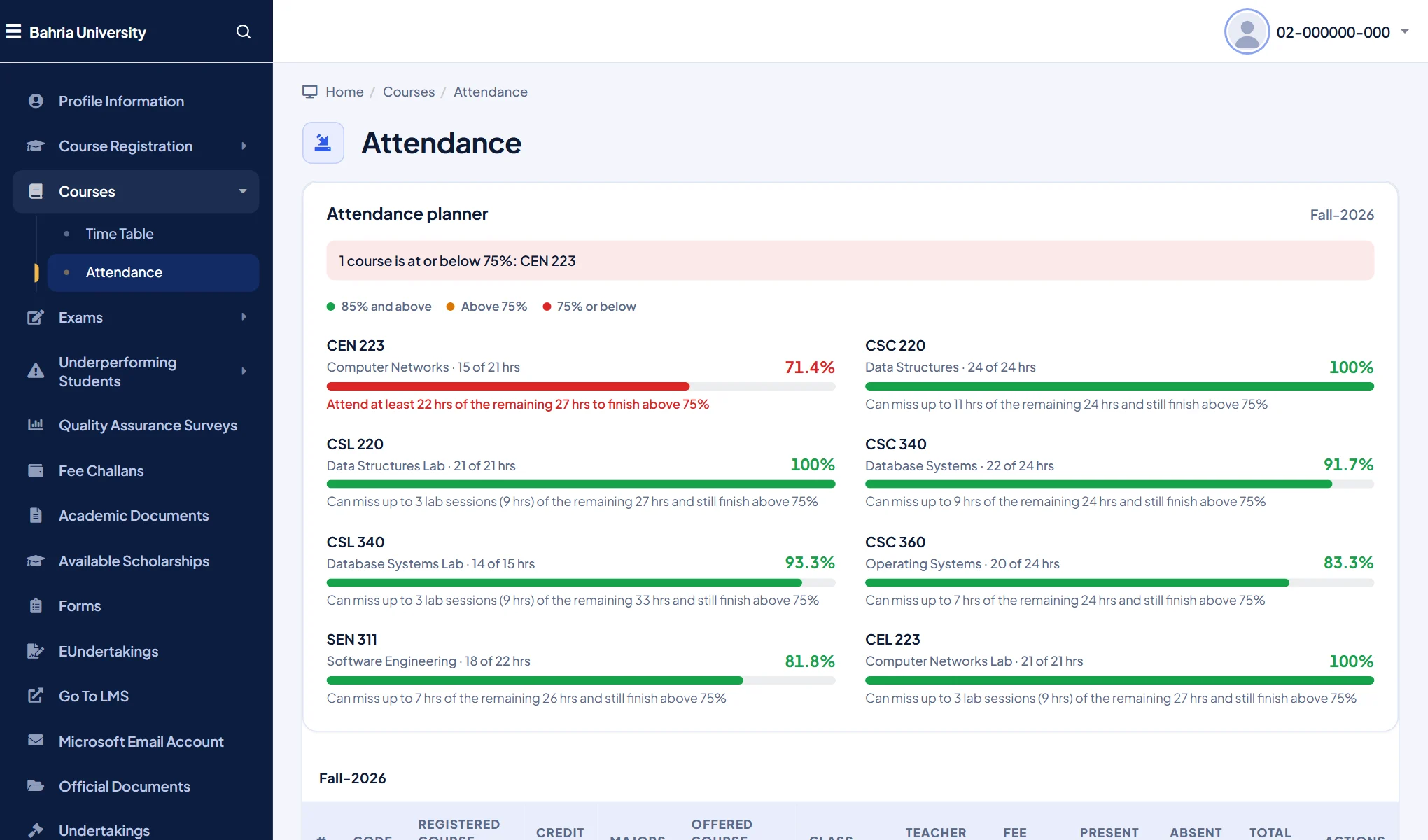
One clear row per course, with a plain line under it: how many hours you can still miss, or must attend, to finish above 75%.
An estimate from the hours the portal shows. The university’s records decide.
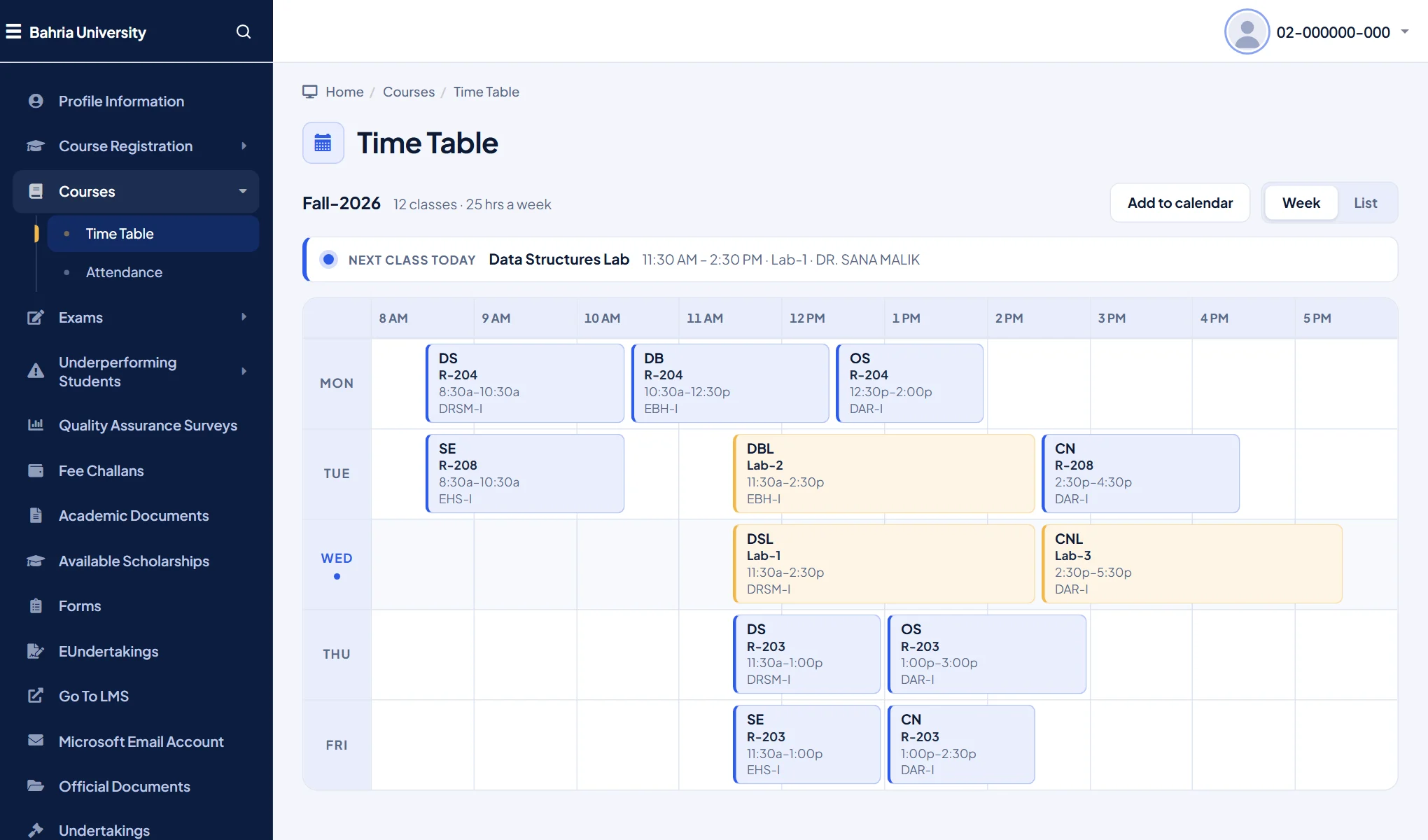
A clean week calendar or day-by-day list that tells you which class is next, instead of a wide grid you scroll sideways.
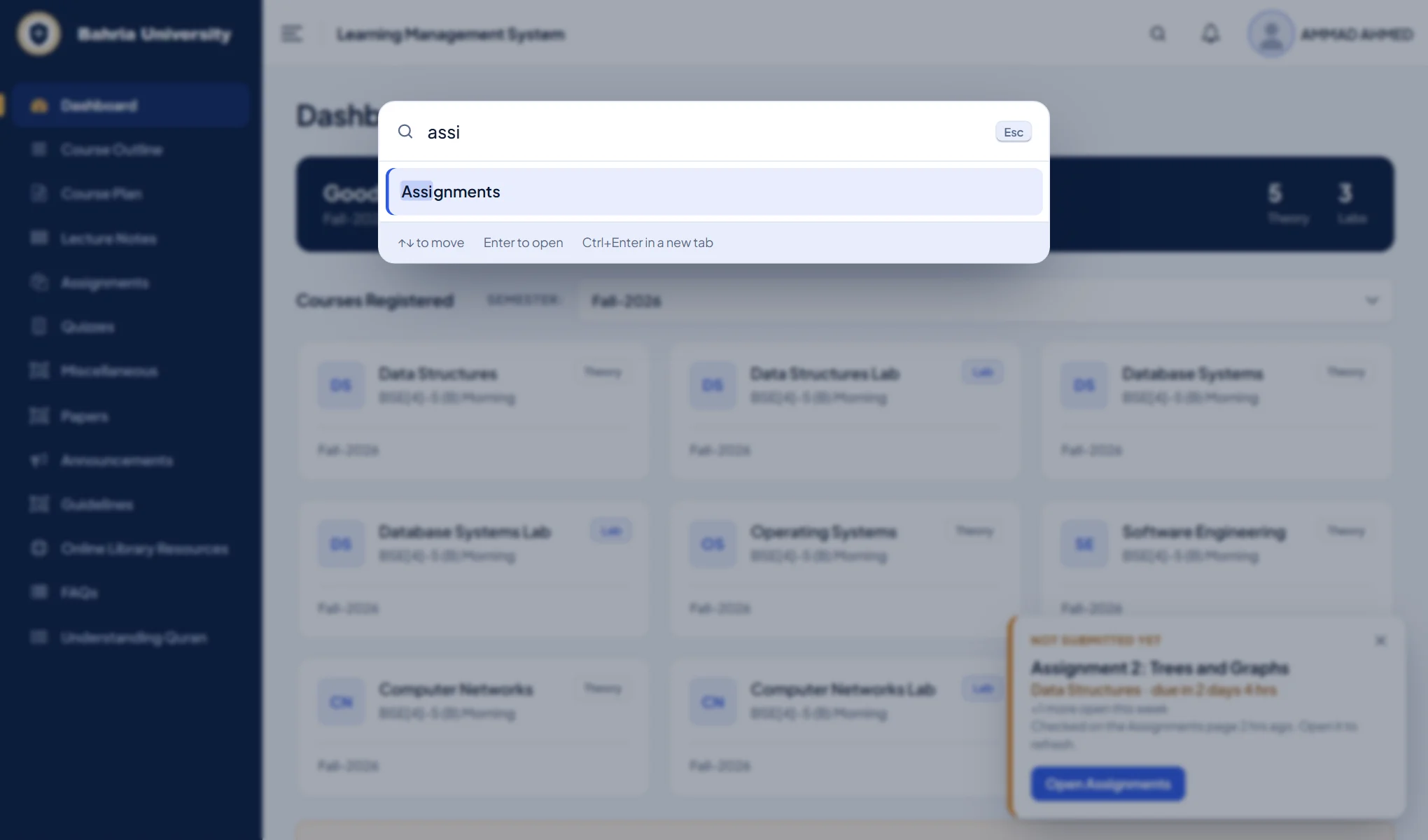
Press Ctrl K (Cmd K on a Mac) or /, type a few letters, press Enter. No more nested menus.
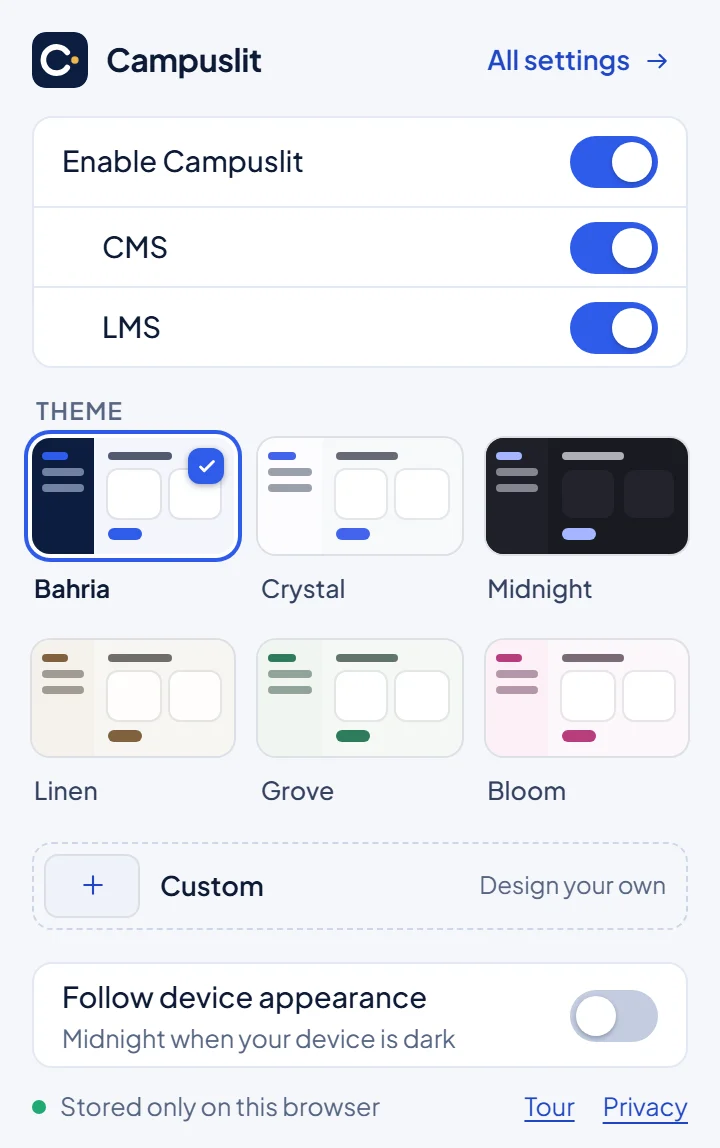
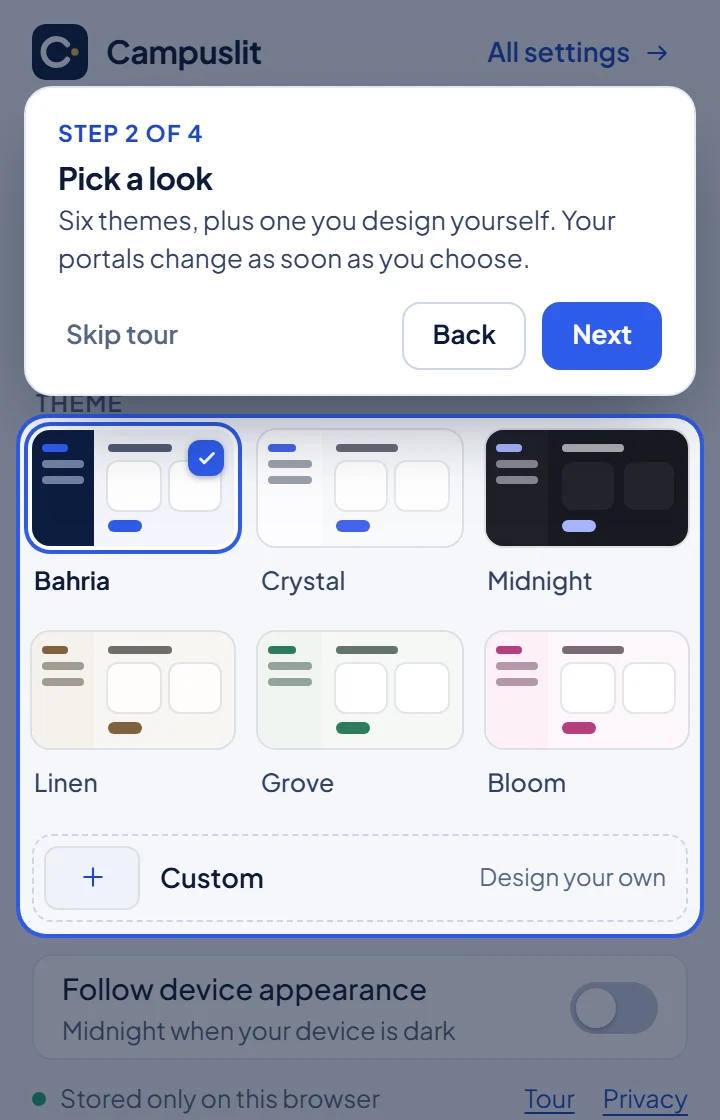
The Campuslit button in your toolbar switches themes, and turns Campuslit off for the CMS, the LMS or both. The first time, a short tour shows you around. Skip it any time.
Make it yours
Six hand-tuned themes and room for one of your own, with your choice of text size, spacing and typeface. One setting follows your device’s dark mode.
Settings, with a live preview, open from the Campuslit button in your browser toolbar.
Get Campuslit
Campuslit runs in browsers on a computer. It is free, with no sign-up. Click Add to Chrome, then open your CMS or LMS and the new look is there.
One click from the official store. Edge and Brave can install from the Chrome Web Store too.
Add to ChromeOne click from Firefox Add-ons, free, no account needed.
Add to Firefoxcampuslit-chrome.zip from the latest release and unzip it somewhere you will keep it.chrome://extensions (or edge://extensions) and switch on Developer mode.campuslit-firefox.zip from the latest release and unzip it.about:debugging#/runtime/this-firefox and click Load Temporary Add-on.manifest.json inside the folder. Firefox removes temporary add-ons when it closes, so repeat this after a restart. The Add-ons listing above installs it for good.Private by design
Questions
Yes, the same thing: Campuslit, Campus Lit and CampusLit all mean this free, open-source browser extension that redesigns the Bahria University student CMS and LMS. It keeps your logins and data, and adds themes, an attendance planner, due-date reminders, a readable time table and quick search.
Yes. Campuslit is on the Chrome Web Store and works in Chrome, Edge and Brave on a computer. It runs on lms.bahria.edu.pk and cms.bahria.edu.pk and is free.
Open the Campuslit page on the Chrome Web Store, click Add to Chrome, then open your CMS or LMS and sign in as usual. The new look appears on its own. Pin the Campuslit button to your toolbar to change themes or switch it off.
Yes, optionally. In Settings, Notifications, you can turn on desktop alerts for new assignments, quiz marks, new lecture notes, attendance marked present or absent, and deadline reminders 2 days, 24 hours and 7 hours before. Campuslit looks at your portals every 1 to 8 hours while your browser is open and you are signed in, using your own session. The CMS signs you out quickly, so attendance alerts usually arrive when you next sign in to it; everything else is checked in the background. It never sees your password and sends nothing to us. It is off until you switch it on.
No. It is an independent project made by students and is not made, endorsed or supported by Bahria University. The university’s name and emblem belong to the university, and are used here only to say which websites Campuslit works on.
All of them. Campuslit runs on the two student portals every campus uses, so it does not matter where you study. It was built using pages from one campus, so if a screen at yours looks wrong, tell us and it will be fixed.
It changes how pages look. Forms, uploads and downloads still go to the university exactly as before, and your marks and submissions are never touched. Out of the box Campuslit makes no network requests at all. If you turn on the optional notifications, it opens pages on the two portals using your own sign-in, and nothing goes anywhere else. On your device it keeps only your look, an optional note of open assignments so reminders work, the optional notification note, and which tips you have seen. Switch it off from the toolbar button, or remove it, and the original portal is back. Details are in the privacy policy.
Treat them as a helpful estimate. They are worked out from the hours the portal shows, your credit hours and the semester length you set. The university’s own records are what count.
Chrome, Edge and Brave (install from the Chrome Web Store) and Firefox 140 or newer (install from Firefox Add-ons), on a computer. Most phone browsers do not run extensions like this.
That can happen. Switch Campuslit off for that portal and the page is back to normal, then report it on GitHub with a screenshot (hide your name and enrollment number first).